Archive
Tutorials
-
True or False: Shared Parameters Can Be Renamed
Contrary to popular belief, Revit Shared Parameters can be renamed with this simple workaround. I founded OpenRFA in 2017 with the goal to create a set of standard Shared Parameters which are developed by a community rather than by a closed-door committee. We shared a common vision: to create a data standard that is inclusive…

-
Purge Shared Parameters From a Revit Model
I made a critical mistake when launching my BIM program at one of the largest tech conglomerates in the world… Oh, and I found a way to fix it, too. I have always felt that BIM standards should always focus primarily on the data structure of models, not so much the graphical output on drawings…

-
Revit BuiltInCategory Enumeration (2018.3)
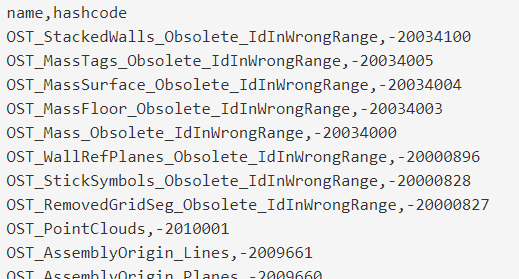
I searched and searched for hours and still have not found a list of all members of the BuiltInCategory enum along with their hashcodes. This is very helpful for working with shared parameters which need the DATACATEGORY value, as you cannot use the name of the built-in category (Revit looks for the hashcode in the…
-
Dynamo’s Security Vulnerability
Last week, I decided to see how far I could push Python nodes in Dynamo in terms of files external of Revit and I believe I have discovered a vulnerability in which an attacker can use a Python node within a Dynamo graph to gain access to your desktop. There have been some similar discussions…

-
Use Dynamo to Transfer Phase Data to Bound Revit Models
This workflow was created as a request from @PhilosophyBIM on Twitter To @DynamoBIM guru, any way to automate the phase mapping to revit elements? I have a linked model binded to another file & lost all Phases. — Philip Chan (@PhilosophyBIM) September 26, 2017 The issue arises when binding a linked model in Revit. If…
-
Dynamo Graph to push Space data into COBie.Component.Space including elements above the ceiling (MEP)
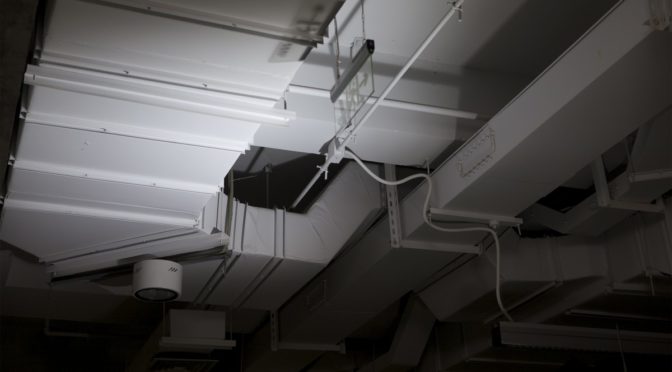
Here is a graph that I’ve thrown together that pushes the Revit Space number into the COBie parameter “COBie.Component.Space” for elements that are within the Space, including elements above the ceiling. Note that in order for this to include the elements in the area above ceilings (i.e., mechanical and electrical equipment), your spaces must use…
-
Hello Dynamo World!
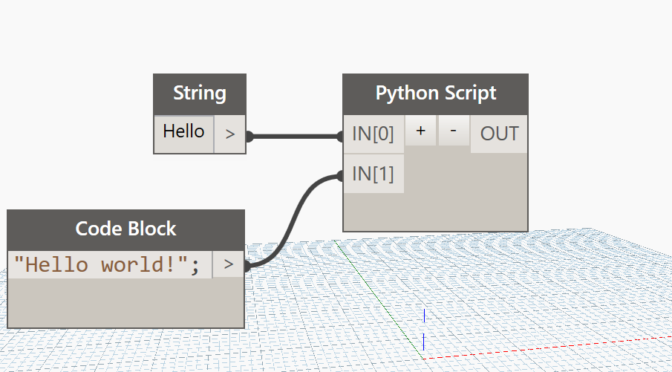
In learning every new programming language, it is customary to start with a “Hello world!” application. Although visual, Dynamo is a scripting tool as well, so I thought this would be a great first step for folks who are new to Dynamo. In this post, we demonstrate how to display “Hello world!” in the Revit…
-
Linked Mechanical IFC Model Into Revit; Can’t See Ductwork
Tonight (yes, I am working on a Friday night), I ran into a new issue that I thought the community might be interested in. I linked an IFC into Revit which was exported from AutoCAD MEP. The issue is, I could not see any of the duct. Autodesk posted a solution to the problem that unfortunately…

-
PSA: The Air Terminal category in Revit is DuctTerminal in Dynamo
Looking for the Air Terminal category in your Categories node Dynamo? You won’t find it. It’s called DuctTerminals in Dynamo. That is all.

-
Faro Scans and Autodesk ReCap
Just a quick post to share that I had a first crack at using Autodesk ReCap 360 for importing laser scans from Faro to reference as-built conditions. So far, Recap is working well for importing FLS scans.