Archive
Jay Merlan
-
Cross-Functional Data: MCP Servers vs. Standard APIs
If you’re used to building apps by prompting, you’ve probably heard of the Model Context Protocol (MCP). It’s the magic bridge that lets your AI assistant actually do things like read your local files, browse a database, or trigger actions. It feels like an absolute superpower for open-ended tasks. But as more of us use…

-
Are We Bragging About the Wrong Number?
One question to ask yourself (and your team) should be, how much of your last 40M tokens produced code that’s still being used? Not code that got written. Code that survived. If you and your agent built a data layer, rewrote it, rewrote it again when feature three exposed a bad assumption, and shipped version…

-
Part 2: How to Deploy the Ephany Framework on a Live Webserver (Beginner-Friendly Guide)
In Part 1 of this tutorial, we deployed the Ephany Framework onto an $8 DigitalOcean Droplet, configured our settings files, created a virtual environment, and verified the app worked using Django’s development server. Now it’s time to take the next step: Turning your Ephany Framework instance into a real server-side service using Gunicorn and Nginx.…

-
Part 1: How to Deploy the Ephany Framework on a Live Webserver (Beginner-Friendly Guide)
This guide walks you step-by-step through deploying the Ephany Framework, using an inexpensive $8 DigitalOcean Droplet. We’re keeping everything as clear and simple as possible so you can follow along…

-
Connect Claude to Revit Using PyRevit’s MCP Server
Model Context Protocol (MCP) is a standard way to give an AI assistant access to applications. In the context of Revit, I can have an LLM talk to Revit directly rather than building a Revit addin or macro. In this post, I’ll show you how to create a pipeline with three pieces: Claude → MCP…

-
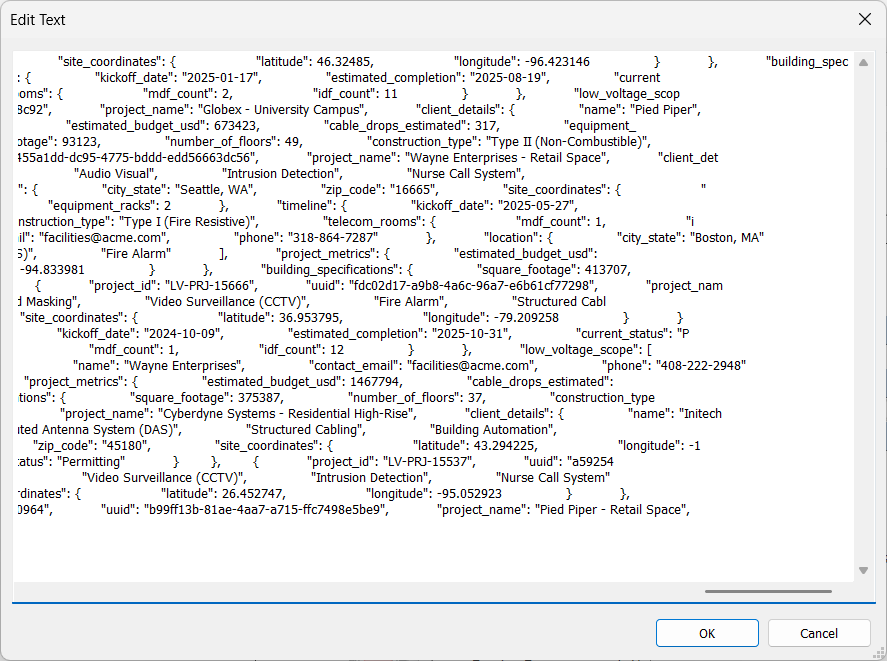
The 100kb Parameter: An Extensible Way To Store BIM Data?
Story time: I was working on developing a Revit addin for a client which required a JSON blob as an input (generated from another application). Of course the BIM manager in me immediately thought, “I’m going to need a ton of shared parameters for this data.” Then my developer brain questioned, “but wait, is there…
-
Revit Macro First, Revit Addin Later
Add-ins are undeniably the gold standard for deploying scalable tools in Revit (yes, even better than Dynamo Player in most cases). But if your goal is rapid automation and getting things done ASAP, going straight to Add-in development can slow you down. Here’s how to start with a macro.

-
PSA: You Can’t move the origin of a generic annotation symbol.
Did you know that you can’t actually change the origin point of a Generic Annotation family? For example, if you wanted to change the origin reference plane of a Generic Annotation nested into a parent family so that you can constrain it at the end instead of the center of the symbol.

-
How to Push to Multiple Git Repositories Simultaneously
Keeping two distinct Git repositories in sync—like a public GitHub repository and a private internal Git server—can be a tedious chore if you are manually pushing to them one by one. If one push succeeds and the other is forgotten, your codebases immediately drift out of sync. The most elegant solution is configuring a “dual-push”…

-
Give Your Windows Apps a Facelift With Our AI-Friendly WPF Theme
Let’s paint a familiar picture: you spin up a new WPF project, drop a basic Button onto your MainWindow, hit F5, and are instantly transported back to 2008. The default controls are, to put it mildly, visually offensive. Those harsh gray gradients, cramped borders, and rigid shapes make it painfully obvious you are building on…