Archive
Revit
-
Best Practices: Managing Sheet Lists in Revit
The task of managing drawing lists has typically been a daunting one; Particularly on large projects. With the dawn of Revit adoption, we now have some options to make document control a little easier. Avoid Two Sets of Data When Possible You’ve heard this one a hundred times when using schedules on your drawings. If…
-
Collaboration for Revit (C4R) and A360: Your Revit Model in the Cloud
Update: At some point after this article was published Autodesk has rebranded A360 – it is now called BIM 360. Autodesk has launched a collaborative platform in which users have the ability to host their Revit central models on the A360 cloud. This method attempts to solve the limitation of multiple users in different physical…

-
Using Navisworks SwitchBack for fixing clashes in Revit
We are really excited to try out Navisworks SwitchBack. This add-in will allow you to select an element in Navisworks and switch to Revit to fix the clash. It appears as though we will finally have full Interoperability between Navisworks and Revit. Rest assured that we will write a full review of the workflow once we’ve had…

-
Exporting an AutoCAD MEP model as an IFC and then linking it into Revit
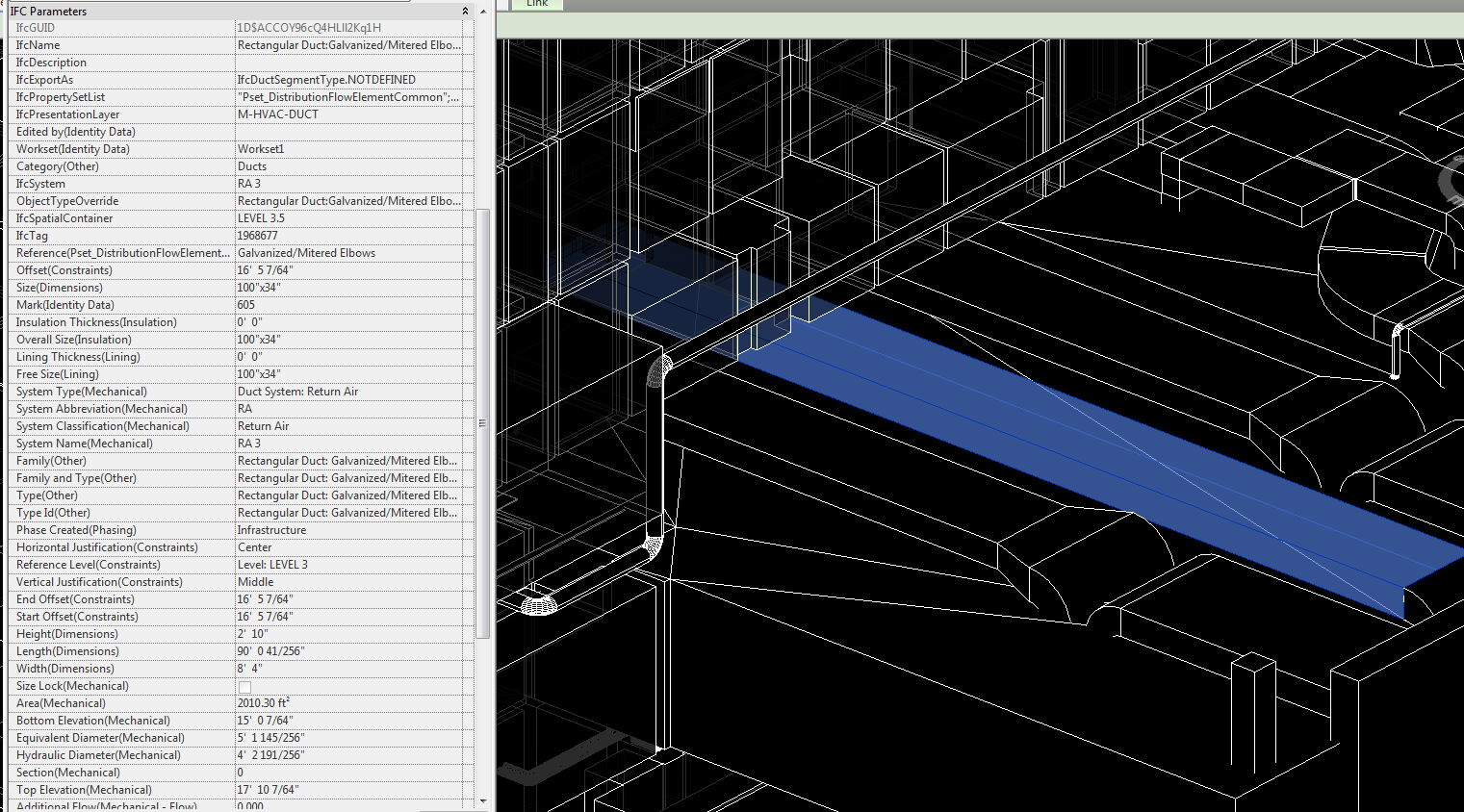
In the BIM world, there are several platforms and file types. AutoCAD has many flavors most of which are discipline specific and are used in fabrication processes. Just like any software, cross-compatibility between platforms is finicky at best. The big disconnect happens when a design engineer hands off their model to a contractor to complete…
-
Using a filter to show a future phase in Revit
If you are at all familiar with Revit’s phasing capabilities, you have undoubtedly run into an issue with showing future phasing. Revit currently does not allow you to do so. As of Revit 2016, future phases simply do not appear in your views and there is no way to show a future phase. Fortunately, we…

-
We should all be using Revit’s worksets for efficient worksharing, not visibility / graphic overrides.
More and more I’ve had debates regarding worksets being used for visibility. My stance is to avoid using worksets to control visibility and graphic overrides – save this task for filters. Using worksets for visibility graphic overrides will completely strip your ability to use works sets the Revit way, which is to efficiently share work. This…

-
Inconsistent Units in Revit Schedule
At some point in your career you may need to use a Calculated Value in a schedule. In doing so, you will most likely receive an inconsistent unit error if the units in the formula do not match. For example, I wanted to get a total cost for vinyl flooring using only Revit. This means my…

-
Copy a Legend to Multiple Sheets in Revit
The good folks over at Boost Your BIM have posted a macro for copying a legend to multiple sheets. It works really well, but I wonder if anyone would like to take on the challenge of doing something similar in Dynamo. public void legendOnSheets() { Document doc = this.ActiveUIDocument.Document; // create list of element ids for…

-
How to get a nested list item by index in Dynamo (the easy way).
I found a super simple way to get a nested list item at index using Design Script using a single node. The Code Block in the example: x[0][33][1]; Where: x = Input for your list [0] = Parent List [33] = The nested list item #1 within Parent [1] = The…

-
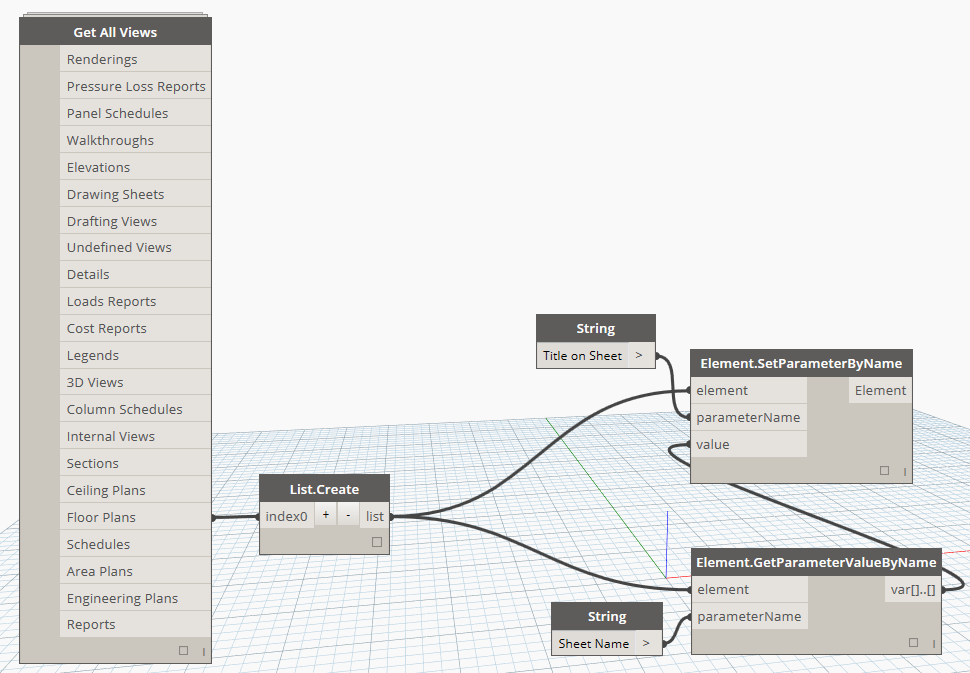
Bulk match the “Title on Sheet” view parameters to their respective sheet name with Dynamo.
With this Dynamo Workflow, you can push the Sheet Name parameter to the “Title on Sheet” parameter of views that are placed on sheets. I recommend beginners to try to recreate this Dyn to help understand some of the basics of Dynamo. Feel free to comment or email with any questions.