Archive
Revit API
-
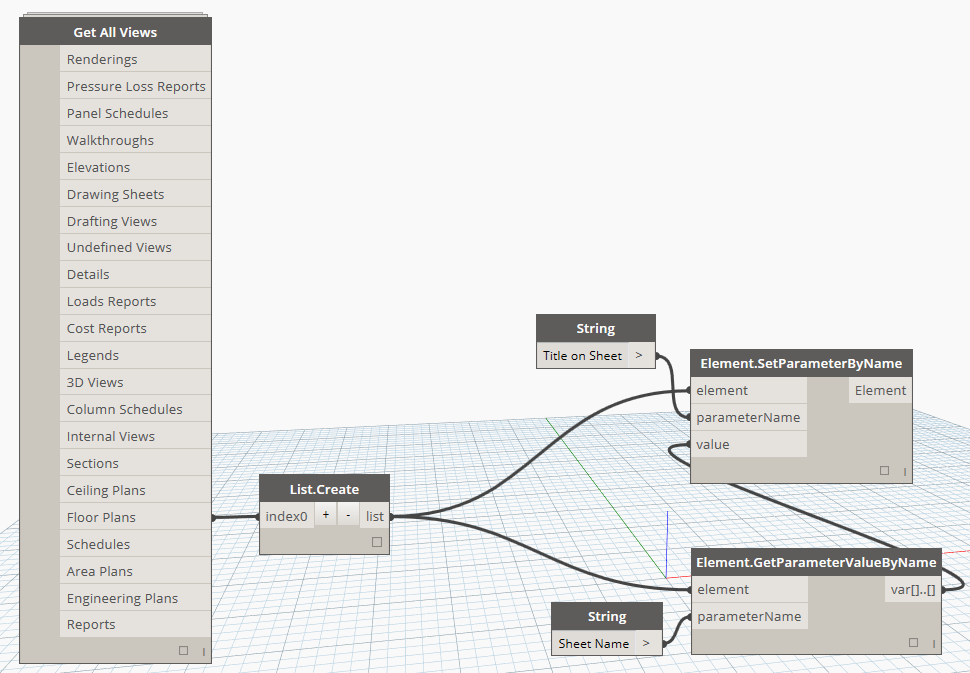
Bulk match the “Title on Sheet” view parameters to their respective sheet name with Dynamo.
With this Dynamo Workflow, you can push the Sheet Name parameter to the “Title on Sheet” parameter of views that are placed on sheets. I recommend beginners to try to recreate this Dyn to help understand some of the basics of Dynamo. Feel free to comment or email with any questions.
-
Revit Macro – List electrical panel schedules and the sheets that they are placed on
We found a quick-and-dirty way to show what sheets your electrical panel schedules are on. Essentially, it is a schedule of schedules. We haven’t found any other way to accomplish this as of yet and we welcome any improvements to this code. What this does is simply create a dialog box with all of your…

-
ArchSmarter Toolbox – Free Macros for Revit to Maximize Efficiency
We recently stumbled onto a set of Revit macros that may be of use to all Revit users regardless of skill level. The good folks at ArchSmarter have a toolbox of Revit macros that maximize efficiency on mundane tasks such as duplicating views, aligning views on sheets, and batch linking Revit models. The best…

-
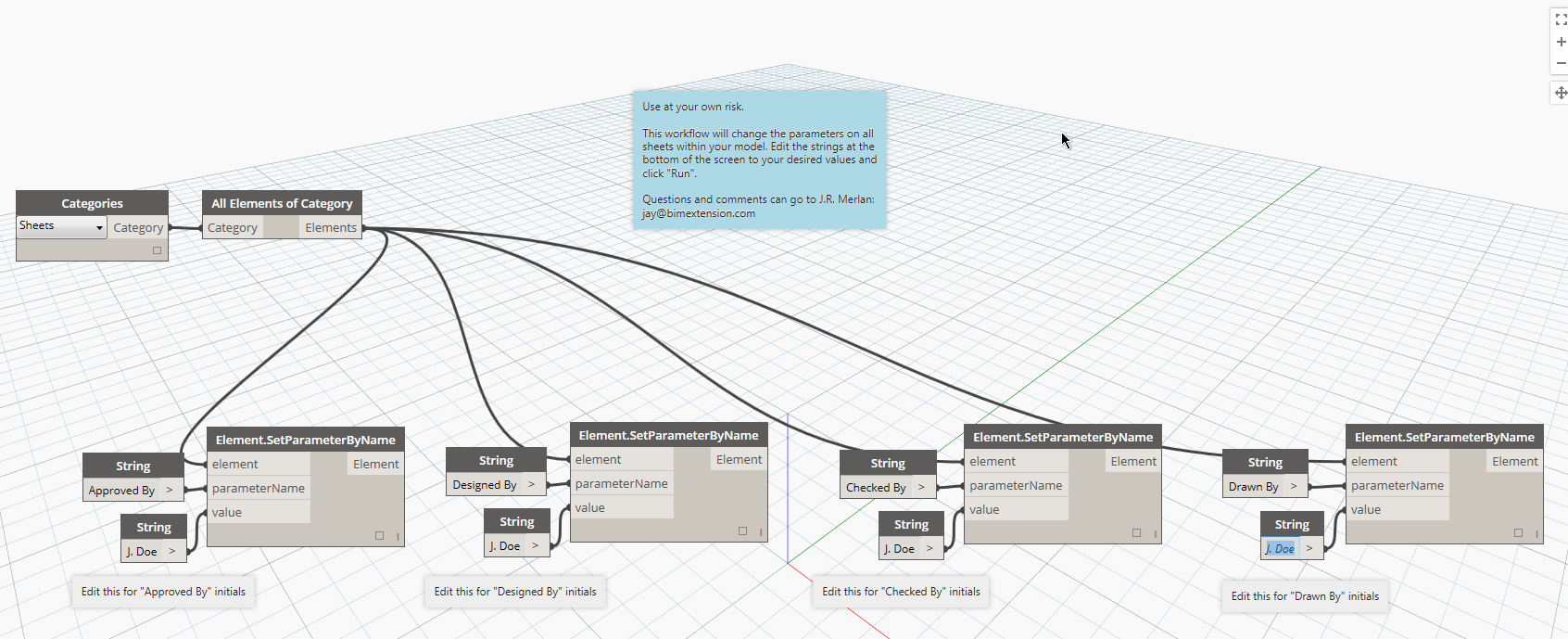
Dynamo Workflow: Change your sheet parameters with one click.
If you’ve submitted drawings using Revit sheets in the past, you’ve undoubtedly run into the issue where some of your “Checked by” and “Designed by” parameters say “Author”. As far as I know, there is no easy way to change them all globally from within Revit. I’ve created a simply Dynamo Workflow that will change…