Archive
Dynamo
-
PSA: The Air Terminal category in Revit is DuctTerminal in Dynamo
Looking for the Air Terminal category in your Categories node Dynamo? You won’t find it. It’s called DuctTerminals in Dynamo. That is all.

-
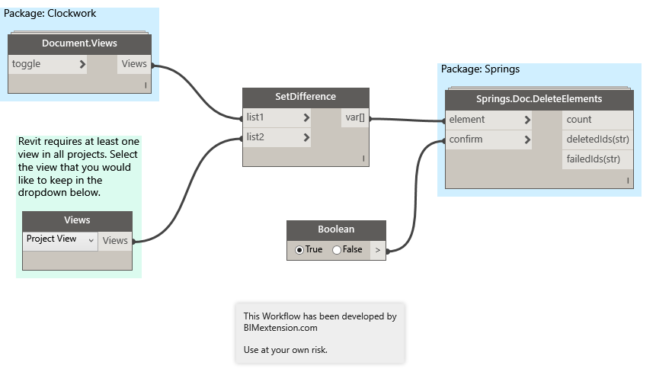
Use Dynamo to delete all views in Revit
I have been working on a Dynamo Workflow that will purge out all views and sheets from a Revit model. Yes, there are several add-ins that currently accomplish this task, however I eventually want to create a “Super Purge” Workflow that will purge a model of all views, sheets, and elements for me. More on…
-
Copy a Legend to Multiple Sheets in Revit
The good folks over at Boost Your BIM have posted a macro for copying a legend to multiple sheets. It works really well, but I wonder if anyone would like to take on the challenge of doing something similar in Dynamo. public void legendOnSheets() { Document doc = this.ActiveUIDocument.Document; // create list of element ids for…

-
How to get a nested list item by index in Dynamo (the easy way).
I found a super simple way to get a nested list item at index using Design Script using a single node. The Code Block in the example: x[0][33][1]; Where: x = Input for your list [0] = Parent List [33] = The nested list item #1 within Parent [1] = The…

-
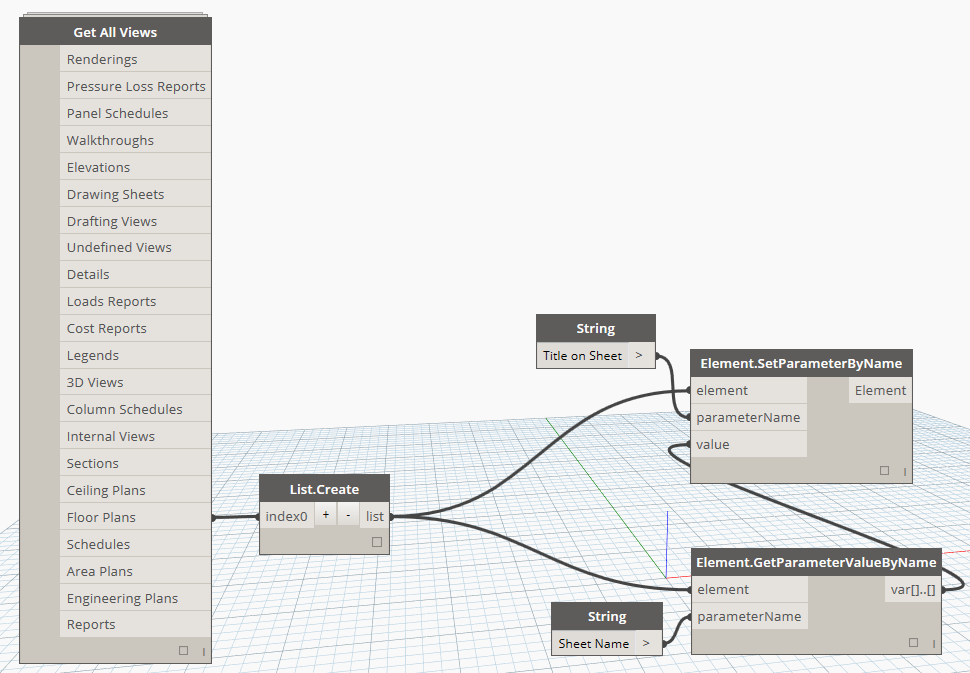
Bulk match the “Title on Sheet” view parameters to their respective sheet name with Dynamo.
With this Dynamo Workflow, you can push the Sheet Name parameter to the “Title on Sheet” parameter of views that are placed on sheets. I recommend beginners to try to recreate this Dyn to help understand some of the basics of Dynamo. Feel free to comment or email with any questions.
-
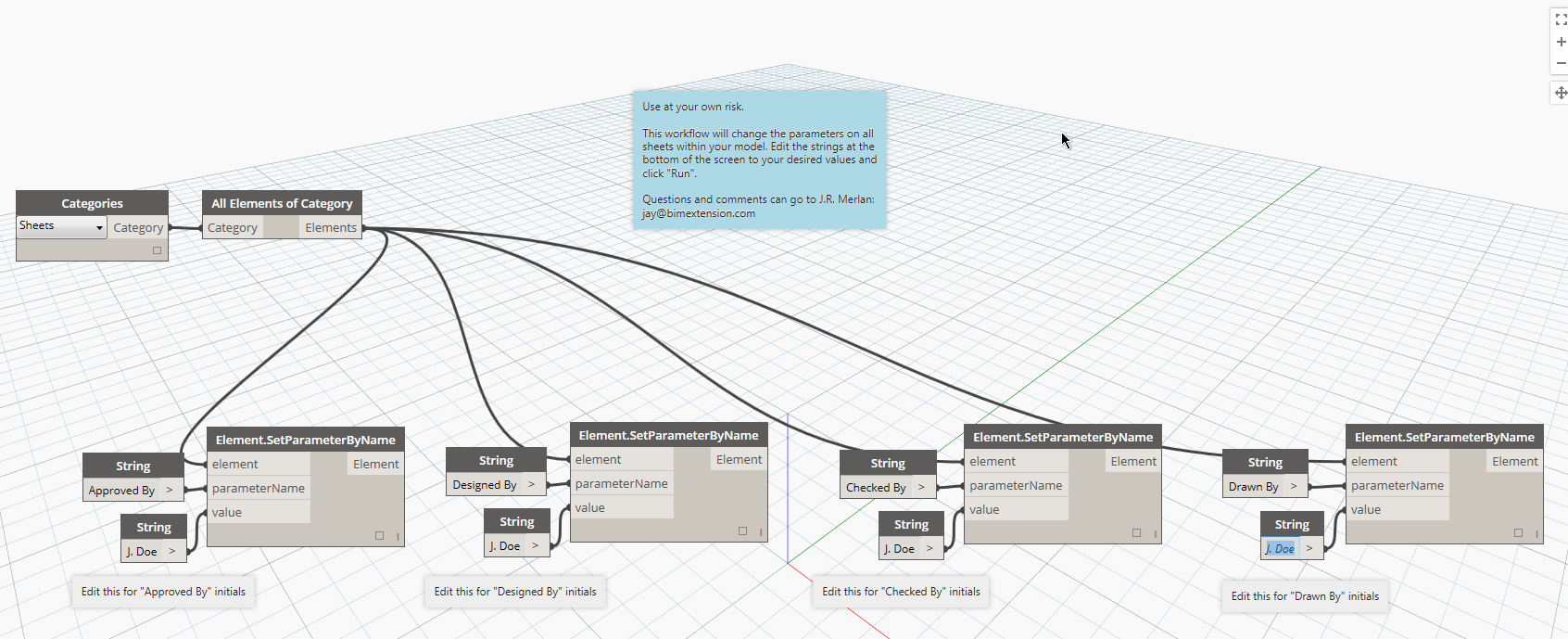
Dynamo Workflow: Change your sheet parameters with one click.
If you’ve submitted drawings using Revit sheets in the past, you’ve undoubtedly run into the issue where some of your “Checked by” and “Designed by” parameters say “Author”. As far as I know, there is no easy way to change them all globally from within Revit. I’ve created a simply Dynamo Workflow that will change…