Web-based Merchandise Planning: Introducing Capacity Planner by Triple Zero Labs
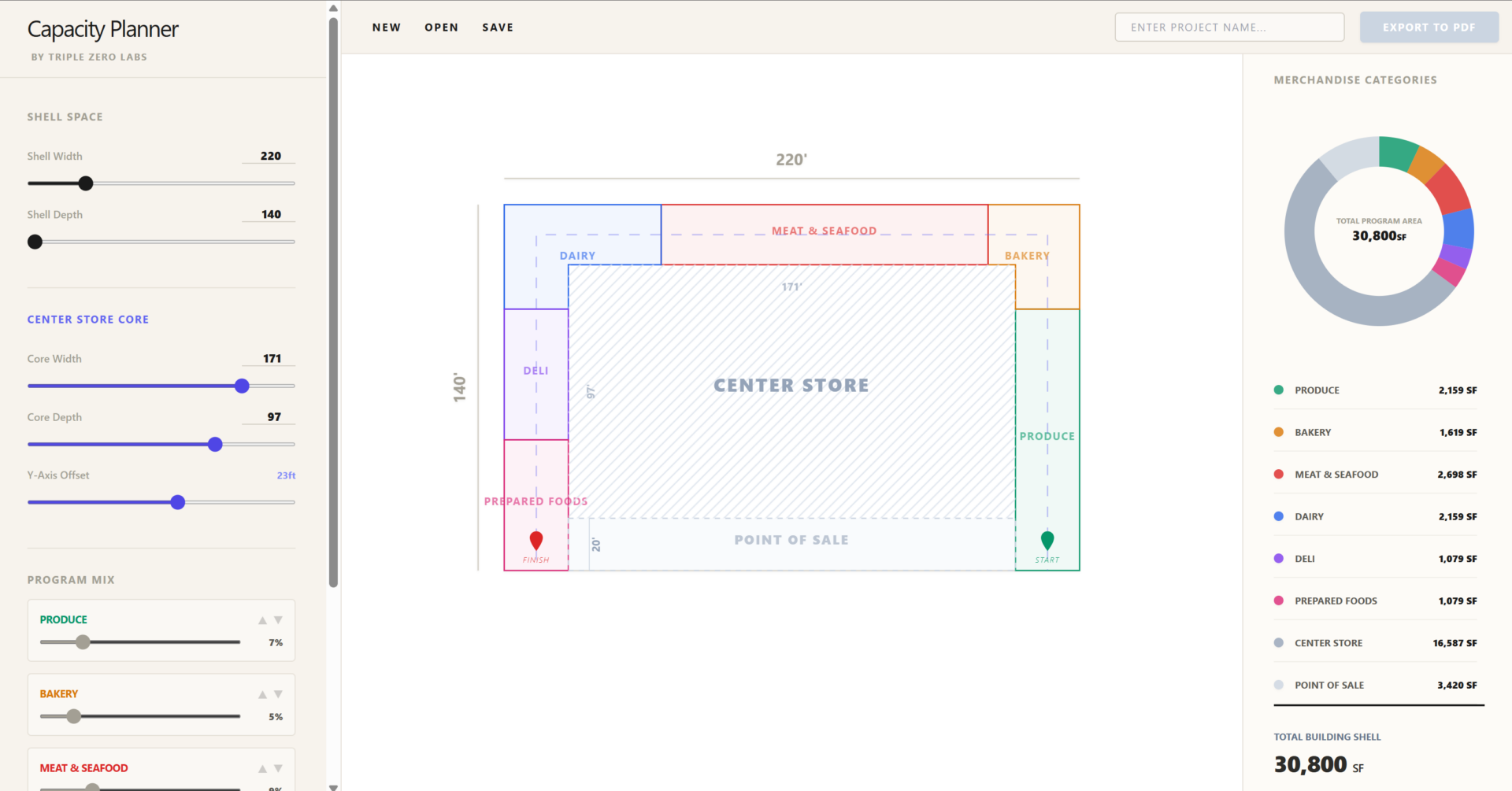
Capacity Planner is a conceptual design tool built for merchandising workflows. It seeks to help with site feasibility studies, macro planning, and everything in between. Starting with a building shell, users are able to generate a floor plan with department capacity and merchandise categories as the main focus.
We are simply looking for early stage feedback at this point. What can we do to make this tool useful for your team? Feature requests welcome!
Try Out The Beta
Getting Started Guide
Follow these five simple steps to create your first conceptual schematic:
- Set Your Shell: Use the Shell Space controls in the sidebar to define the width and depth of your building. The total square footage updates in real-time as you adjust the footprint.
- Define the Core: Adjust the Center Store Core sliders to place your main shelving or storage blocks. Use the Y-Axis Offset to shift the core vertically, automatically resizing the Point of Sale region below it.
- Balance the Program Mix: Play with the Program Mix sliders to distribute area across categories like Produce, Bakery, or Deli.
- Note: These sliders are proportional. Increasing one department will automatically “shrink” the others to ensure your total program always equals exactly 100% of the available space.
- Manage Your Projects:
- Save: Click Save in the toolbar to download a .merch file.
- Open: Use the Open button to upload any .merch file and instantly restore your layout, dimensions, and department mix.
- New: Click New to reset the workspace for a fresh start (don’t worry, we’ll ask you to confirm before wiping your work).
- Export a Professional Report: Once you’ve named your project in the toolbar, click Export to PDF. The app generates a report featuring a floor plan and a color-coded data legend for your viewing pleasure.
