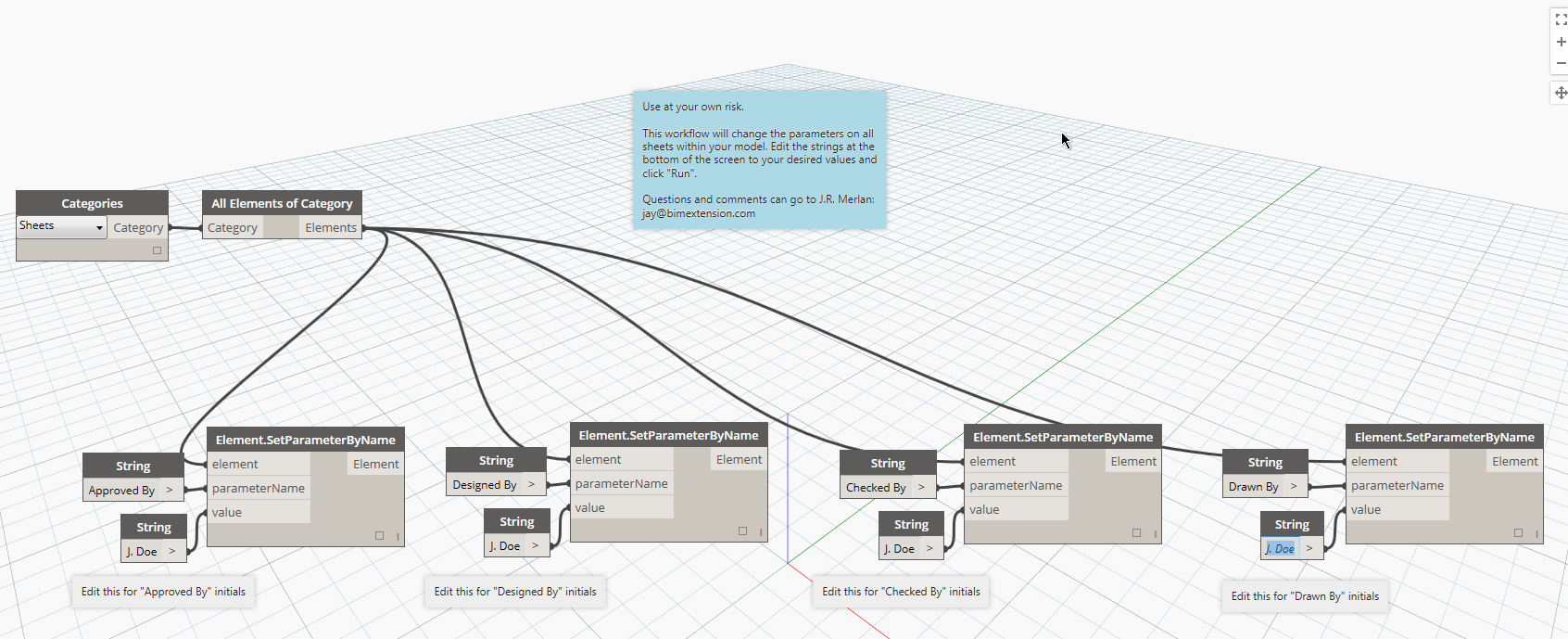
If you’ve submitted drawings using Revit sheets in the past, you’ve undoubtedly run into the issue where some of your “Checked by” and “Designed by” parameters say “Author”. As far as I know, there is no easy way to change them all globally from within Revit.
I’ve created a simply Dynamo Workflow that will change all of these sheet parameters in a batch. This is a great Workflow for beginners because it is so simple and easy to follow and dissect.
In the future, I will further breakdown the workflow to help beginners understand exactly what Dynamo is doing when this Workflow is run.


Leave a Reply