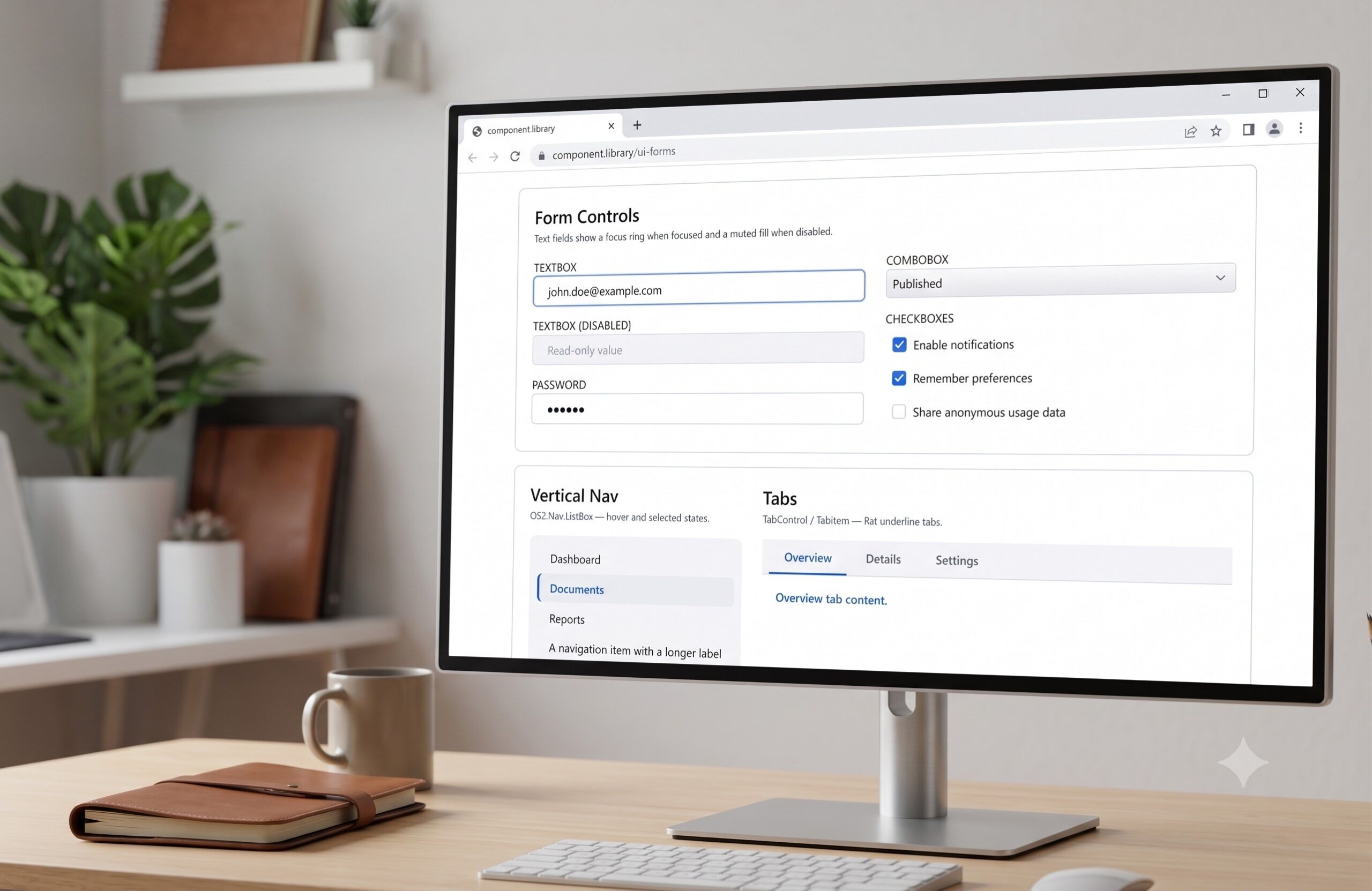
Let’s paint a familiar picture: you spin up a new WPF project, drop a basic Button onto your MainWindow, hit F5, and are instantly transported back to 2008. The default controls are, to put it mildly, visually offensive. Those harsh gray gradients, cramped borders, and rigid shapes make it painfully obvious you are building on a legacy framework, especially when the rest of the world has moved on to sleek, padded, and fluid designs.
At Triple Zero Labs, we found ourselves stuck in a loop trying to fix this. We were constantly prompting Claude to fine-tune these ugly WPF UI elements; wrestling with margins, overriding outdated control templates, and trying to force a stubborn, decades-old framework to look modern. It was incredibly tedious.
We realized we needed a better way, so we decided to build a solution from the ground up: a highly reusable and completely extensible UI theme. After months of refinement and dogfooding it in our own projects, we’ve finally gotten it to the point where we can share it with the community.
Meet OS2—the ultimate modern WPF theme library built for developers and “vibe coders” alike. It is the foundational library you should be using on every single Windows app you build.
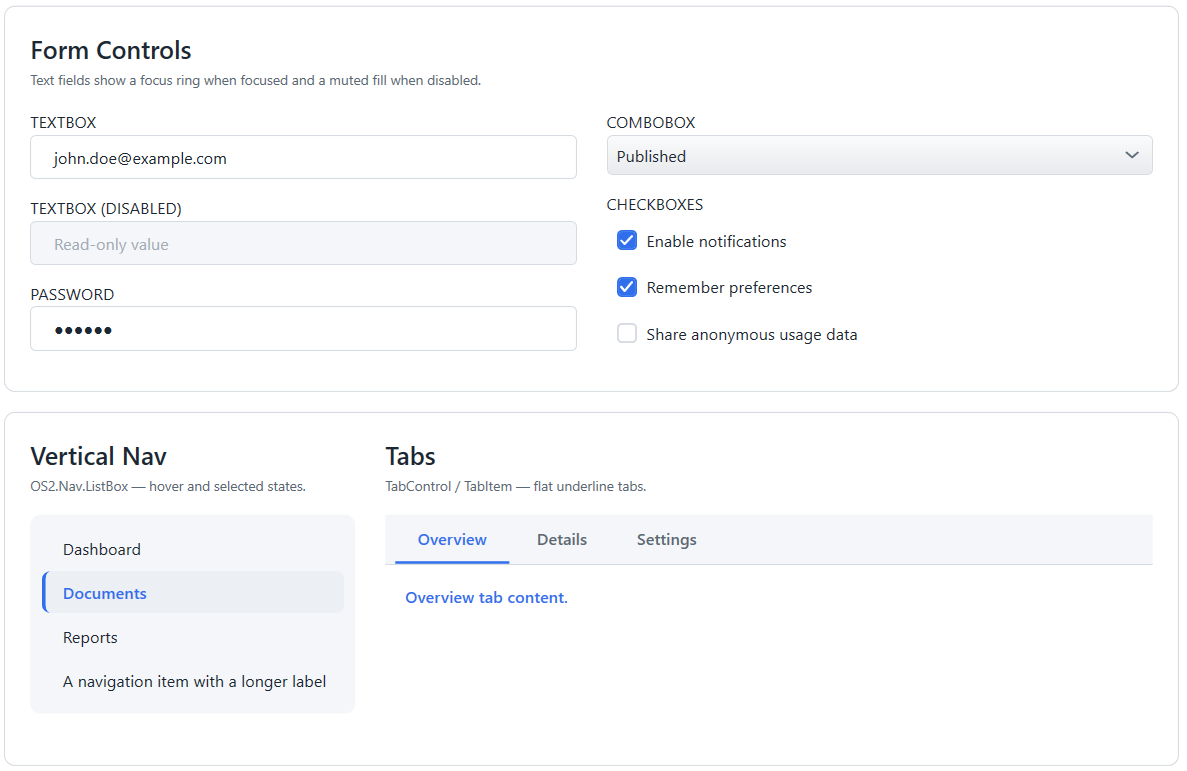
Why You Need OS2
- Instant Modernization: Say goodbye to the flat, gray default Windows aesthetic. OS2 brings modern styling, improved typography, and polished design to your standard WPF controls out of the box.
- Built for Vibe Coders: We know how modern software is built. That’s why OS2 is built from day one to be fully AI-friendly.
- Zero-Friction UI: Stop wasting time hand-crafting complex ControlTemplates and Triggers. OS2 handles the heavy lifting so you can focus on your application’s core logic.
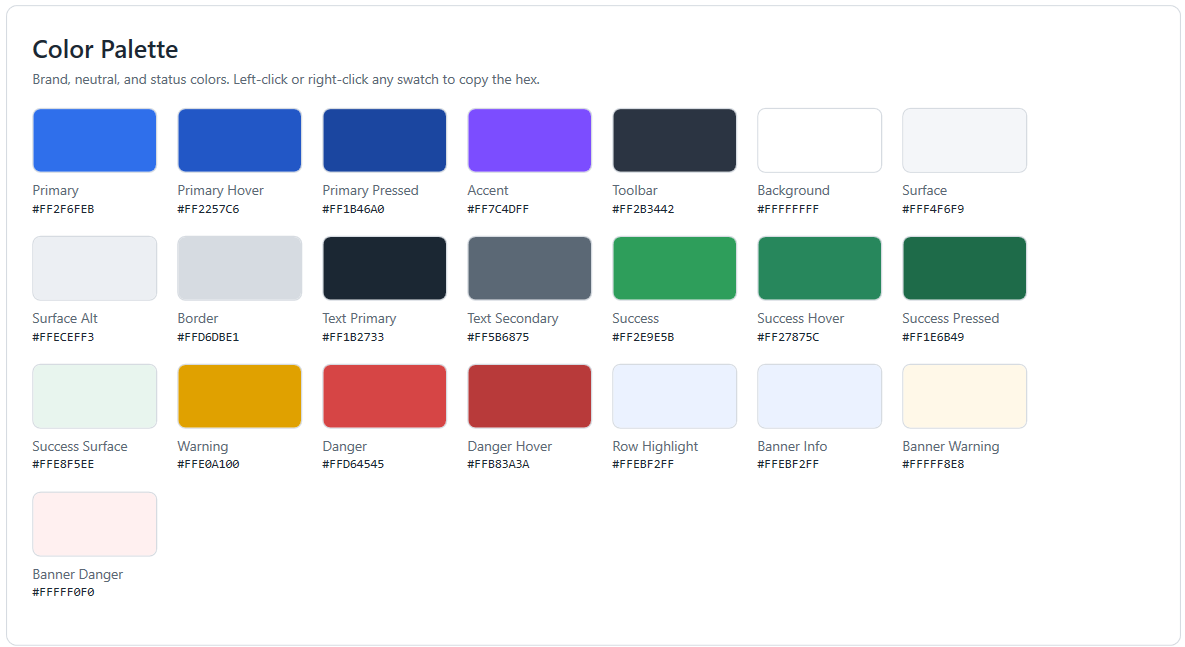
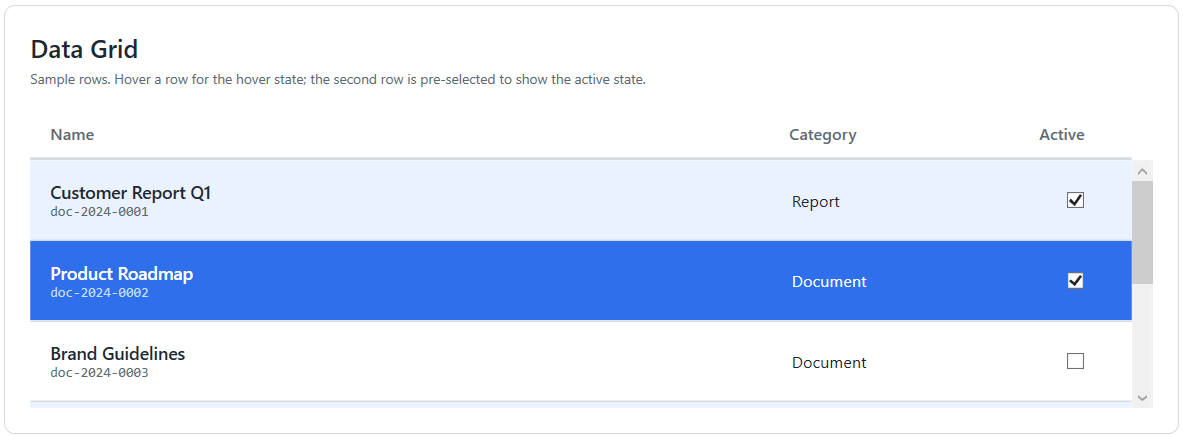
🤖 The Secret Weapon: The Included AI Skill
What makes OS2 completely different from other UI frameworks? It comes with a built-in AI Skill.
We designed this library specifically for the era of AI-assisted coding. By loading the OS2 AI Skill into your favorite AI IDE (like Cursor or GitHub Copilot) or chat assistant, your AI instantly understands the library’s specific namespaces, custom controls, and styling conventions.
Instead of fighting the AI as it hallucinates outdated WPF XAML, the AI Skill acts as a strict set of guidelines, prompting the AI to generate perfectly formatted, beautiful OS2 UI components on the very first try. It is the ultimate shortcut to helping you launch pretty desktop applications faster.
See It In Action
Ready to let AI build your UI for you? Once you’ve referenced OS2 in your project and loaded the AI skill into your AI’s context, simply use a prompt like this to add fully styled controls to your app:
“Using the OS2 WPF theme and adhering to the guidelines in the OS2 AI skill, generate the XAML for a modern ‘User Settings’ window.
Please include: 1. The custom OS2 Window chrome for a sleek, borderless look. 2. A left-hand navigation sidebar using the OS2 dark theme, featuring three navigation buttons (Profile, Security, Notifications) styled as OS2 primary buttons. 3. A main content area containing a modern ‘Card’ layout. 4. Inside the card, add a few customized OS2 TextBoxes for user input (Name, Email) and a styled ToggleSwitch to enable/disable notifications. Ensure all margins, padding, and colors perfectly match the OS2 modern design language without using legacy default WPF styles.”
Just like that, your AI will output production-ready, gorgeous XAML that actually works.
Start Building Beautiful Apps Today
Stop settling for the default Windows aesthetic and stop endlessly prompting for minor UI tweaks. Bridge the gap between legacy frameworks and modern design effortlessly.
👉 Get started on GitHub: OS2 Docs and Codebase
Coming Soon
We’re actively working on publishing this project as a Nuget package. Stay tuned!
Leave a Reply