Error Opening an IFC Model in Revit
When attempting to open an IFC model in Revit, I received the following warning which caused the model to not open properly.
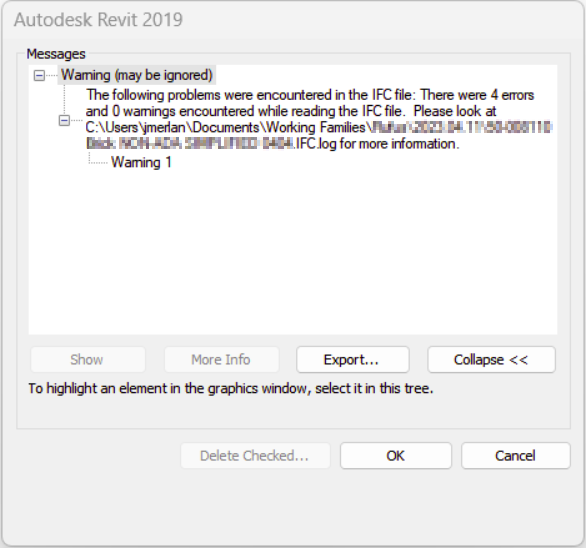
I noticed the Revit warning provided a link to a log file saved to the same location as the IFC. I went ahead and opened the log file in a plain text editor to review the errors (I use Sublime Text, but Notepad will work fine). See below for the text within that file.
/******************************************************************************************
* ReadStepFile diagnostics.
* Date:                           Tue Apr 11 10:59:28 2023
* Produced by:                    The EXPRESS Data Manager Version 5.02.0100.07 : 28 Aug 2013
* Module:                         EDMstepFileFactory/EDMstandAlone
* Host:                           SEA-9906705179
* Database:                       C:\Users\jmerlan\AppData\Local\Temp\{7661CFB3-3835-4F04-BEB5-A7FFCBAFF324}\ifc
* Database version:               5507
* Database creation date:         Tue Apr 11 10:59:28 2023
* Model to populate:              DataRepository.ifcimport
* Header model to populate:
* Step file name:                 XXXXX.IFC
* EDMuser:                        sdai-user
* EDMgroup:                       sdai-group
* License ID and type:            5605 : Permanent license. Expiry date:
* EDMstepFileFactory options:     010201000002
******************************************************************************************/

/* 665425 */ #665411 = IFCPROPERTYSINGLEVALUE ( 'Copyright','', IFCLABEL('© 2023 McMaster-Carr Supply Company'
*** Illegal character in STRING. Char index: 1 charValue: 169  ***

/* 665429 */ #665415 = IFCPROPERTYSINGLEVALUE ( 'Desc3','', IFCLABEL('© 2023 McMaster-Carr Supply Company'
*** Illegal character in STRING. Char index: 1 charValue: 169  ***

/* 741289 */ #741275 = IFCPROPERTYSINGLEVALUE ( 'Copyright','', IFCLABEL('© 2023 McMaster-Carr Supply Company'
*** Illegal character in STRING. Char index: 1 charValue: 169  ***

/* 741293 */ #741279 = IFCPROPERTYSINGLEVALUE ( 'Desc3','', IFCLABEL('© 2023 McMaster-Carr Supply Company'
*** Illegal character in STRING. Char index: 1 charValue: 169  ***


------------------------------------------------------------------------------------------------
 Operation terminated with error: Error/warning during STEP File read operation.


Fatal errors...........: 0
Recoverable errors.....: 4
Warnings...............: 0
Info...................: 0
total..................: 4
Lines..................: 759415

------------------------------------------------------------------------------------------------
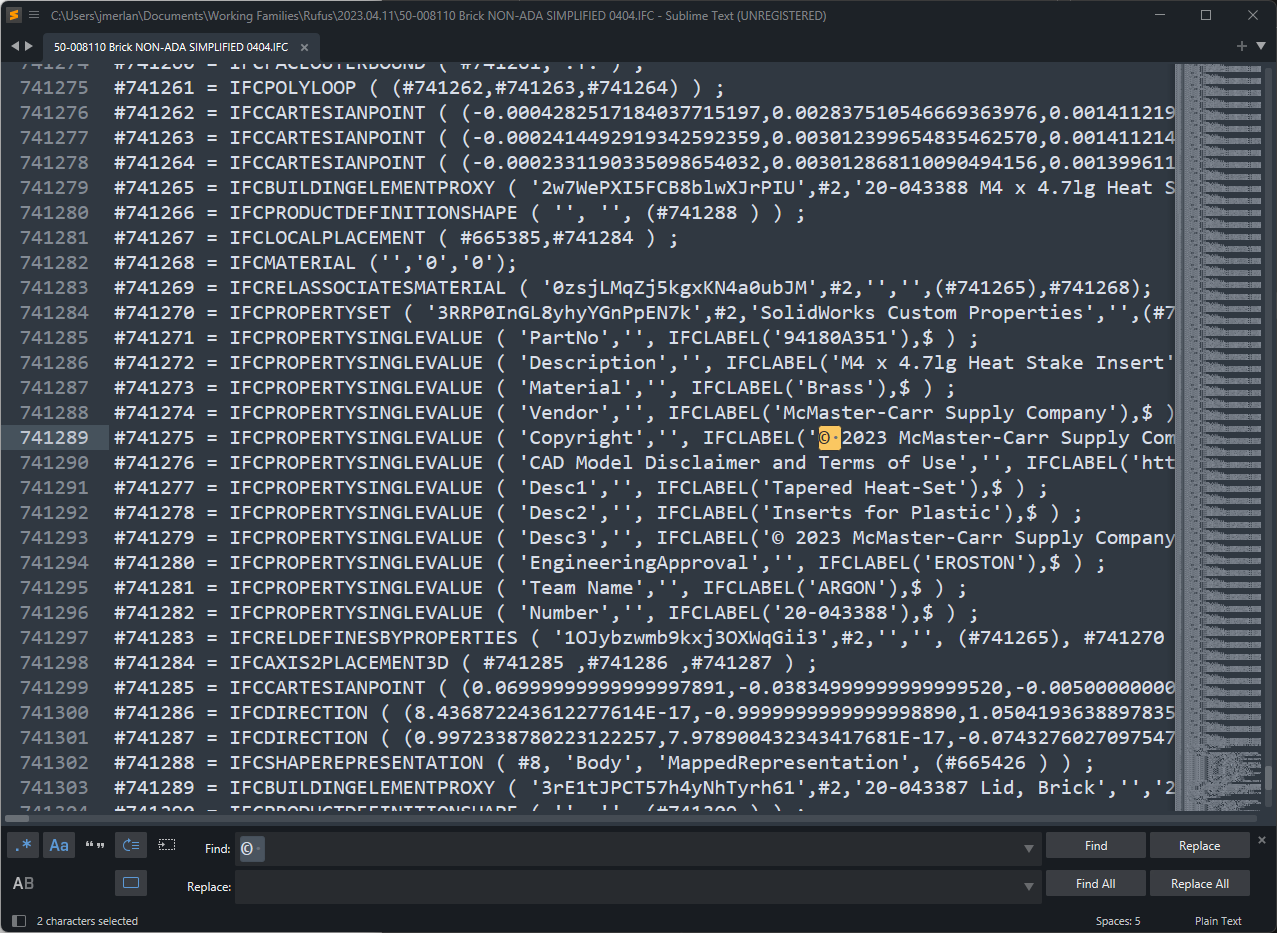
Were you able to understand the issue? That pesky copyright symbol was the culprit as it is a special character: ©
The Fix
Editing IFC models can be difficult IF you need to edit the geometry, but in this case we only need to modify a few property values so I simply opened the IFC model in a plain text editor and used Find and Replace to remove all instances of the © character.
Key Takeaways
The key takeaway to troubleshooting Revit warnings and errors when opening IFC models in Revit is to follow two simple steps:
- Don’t use special characters in IFC properties.
- Read the error log file that is generated when Revit displays warnings.
